

data merge indesign

MyDataMerge 2

A ToolboxCode productivity solution for businesses

Data merge
InDesign
made easy.

MyDataMerge is the missing interface for data merge Indesign users on Mac OSX (only) – user friendly and fast. Set up data merges in seconds from your Excel® or CSV files. Create QR-Codes on the fly, style merged content, export to custom named files in several formats and more.

Supports Intel and M Macs (M1, M2 …) natively

Improves your data merge experience

MyDataMerge simplifies data merge InDesign for everyone.

This service uses Youtube videos and has been disabled by the user due to selected privacy option.

data merge indesign

Quick Excel import

Data can be imported quickly and efficiently from your clients Excel or CSV file. Save time and reduce human driven error potential to almost zero.

Control data and design

MyDataMerge includes functions for controlling the data and the design of publications. Formatting can be applied directly to fields, based on easy defined conditions, so that, for example all prices have the same look and offer prices have another look.

Focus on usability.

MyDataMerge detects issues in every corner, solves them or helps you to do that easily. Struggling with importing, reformatting or changing your datasource belongs to the past now.

As standalone app MyDataMerge can adress all versions of Adobe InDesign® CC, has its focus on modern usability instead of limited interfaces in Adobe InDesign® – all without a loss of speed.

Drag. Drop. Done.

data merge indesign

Place images

Data merge images made easy: Setup alignment and fitting options per frame. MyDataMerge supports also filenames instead of absolute paths in the datasource.

Apply styles

Dynamically apply character, paragraph and object styles to merged content.

Custom files

Export to custom filenames created from your datasource, editable sequences and more.

001_johnathan_doe 002_marian_merge 003_david_powers .indd

“MyDataMerge – well thought out app picks up where InDesign’s DataMerge feature leave off”

InDesign Magazine #122, MyDataMerge review by Colin Flashman

Conditions to control them all.

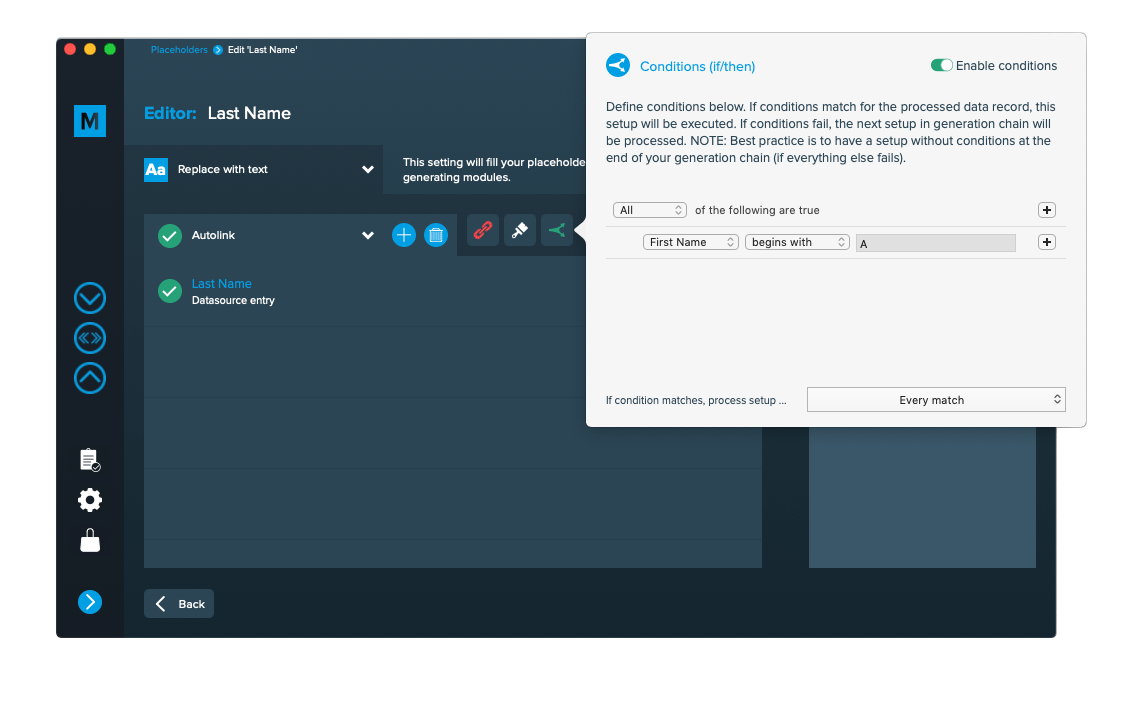
MyDataMerge handles data merging with a few clicks. Still – sometimes you might have more complex scenarios. MyDataMerge lets you define conditions with different actions – without any programming skills required.

This service uses Youtube videos and has been disabled by the user due to selected privacy option.

data merge indesign

There’s more.

We continuously add more features driven by our customers suggestions – always with an eye on ease of use and simplicity.

Presets

Use presets to speed up the data merge setup

This service uses Youtube videos and has been disabled by the user due to selected privacy option.

Hyperlinks

Dynamically add hyperlinks to text, images and QR-Codes with content from your datasource

This service uses Youtube videos and has been disabled by the user due to selected privacy option.

Autolink

Automatically link datasource and layout to almost instantly start data merge.

This service uses Youtube videos and has been disabled by the user due to selected privacy option.

Project wizard

Onboarding was never easier. Project wizard builds a custom tutorial for you.

Try it

QR-Codes made easy

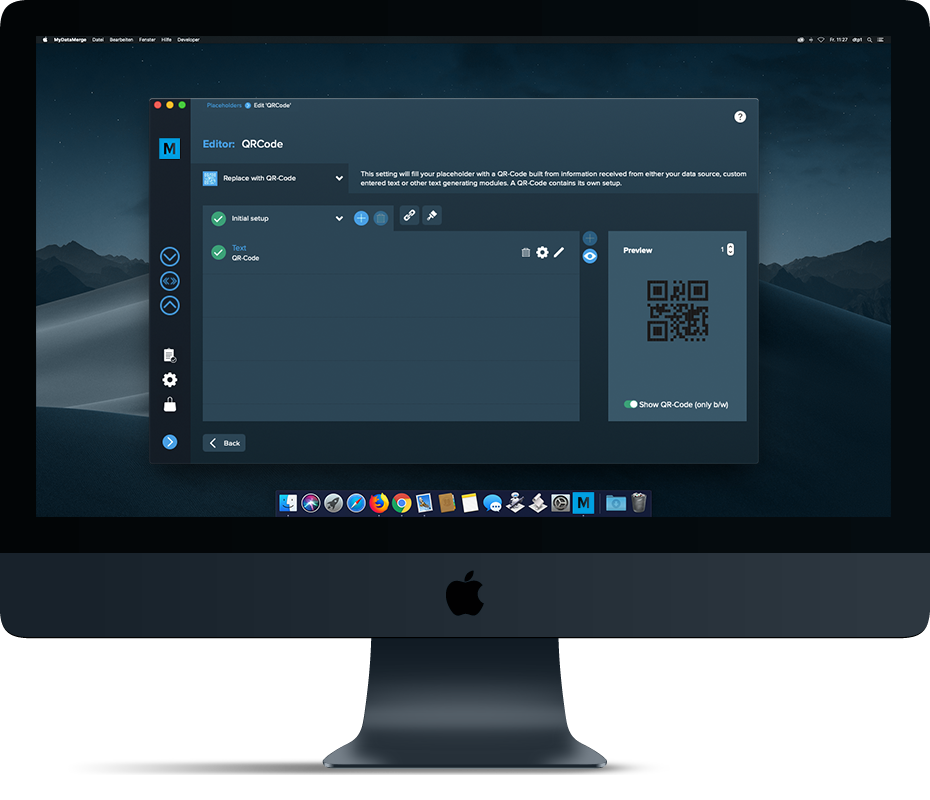
Create different types of colored QR-Codes right from your database.

This service uses Youtube videos and has been disabled by the user due to selected privacy option.

Powerful multiple records feature

Create the multiple records layout grid the way you like it. MyDataMerge will do the rest.

This service uses Youtube videos and has been disabled by the user due to selected privacy option.

GREP text actions

Define custom GREP text commands to grep change text after a data merge automatically.

Inline merge

Merge your data inside one text frame to create floating stories.

Custom scripts

Advanced users: Write custom javascripts to modify and build custom logics.

This service uses Youtube videos and has been disabled by the user due to selected privacy option.

This app has many features that InDesign users have wanted for years to see in InDesign’s Data Merge panel.”

InDesign Magazine #122, MyDataMerge review by Colin Flashman

User’s data merge questions

solved with MyDataMerge (checkout all of them)

And what can MyDataMerge do for you?

5 + 1 = ?

Compare MyDataMerge & data merge InDesign

MyDataMergeAdobe InDesigns® data merge
Import Excel documents (.xlsx)
Import linebreaks from Excel documents and keep them during the data merge
Import CSV documents (.csv) (UTF-8, UTF16-BE, UTF16-LE, UTF32-BE, UTF32-LE) (UTF 16 only)
Export to dynamically named Indesign, PDF, interactive PDF, JPEG, PNG documents
Automatically link matching data titles with its counterpart placeholder tag (Autolink)
Multiple records per page with predefined layout and grid
Multiple records per page data merge with multi-paged documents
Custom image pathes can be chosen per placeholder tag and do not have to be included in data source
Create colored QR-Codes directly with content of your datasource (by combining multiple data columns)
Create sequences with numbers (ascending, descending, random)
If/then Conditions
Multiple Setups and process chain
Combine multiple data fields
Data merge inside one text frame (floating story)
Apply styles to merged content (with rules)
Resize content to text frame or resize text frame to content
Grep search/replace text after data merge automatically
Prepress cut and stack style sorting
Custom scripting to create own logics and access database (with looking one record forward or backward)
Use presets to speed up setup time
Add dynamically generated hyperlinks
Filter your database for data merge and only process specific records (without programming skills required)
Sort your database for data merge
Synchronize already generated documents (Process needs to be restarted) (Process needs to be restarted)

Tagged: data merge indesign, datamerge indesign excel, data merge excel indesign, datamerge excel indesign